
Power tools, gadgets, and equipment for work, repairs, and everyday tasks.

Four simple steps
Open the catalog and select the tool or equipment you need for work, repairs, or other tasks.
Place an order on the website and choose the nearest parcel locker where it will be convenient for you to pick up the device.
Select a product to rent
Select a product to rent
The price may differ depending on the selected locker
Everything is simple and intuitive
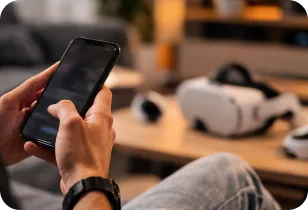
Go to the “Return item” section in your , select an active order, and confirm the action.
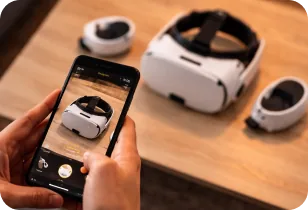
Take several photos of the device from all sides (up to 10 photos) to confirm it is in good condition.
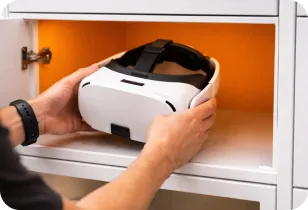
Enter the code from the sticker on the terminal — the correct compartment will open automatically. Place the device inside.
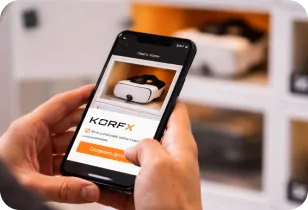
Suggest a device you'd like to rent. We will consider your request and try to add it to our lockers.
Choose the nearest parcel locker
Be'er Sheva
address
phone
telegram
Be'er Sheva
address
phone
telegram
KORF X is a smart rental service for tools and equipment without queues. You can choose the needed device in the catalog, rent it online, and pick it up from the nearest parcel locker. The whole process takes minimal time and is available in convenient locations.
We offer rental of power tools, gadgets, and other equipment for work, repairs, and everyday tasks. The assortment of each parcel locker is formed based on local demand and user needs, so you can always find relevant devices near you.
Renting via parcel lockers lets you avoid rental shop schedules and get devices at a convenient time. Choose a suitable locker, reserve a device, and pick it up whenever it suits you. After use, you can return it in just a few simple steps.
The service fits different scenarios: from small home repairs to professional use or temporary tasks. You don’t need to buy expensive equipment — just rent it for the required period.
KORF X is a modern rental service that combines the convenience of online booking with the accessibility of nearby parcel lockers.
We select devices for each locker based on local demand so you can always find what you need.
Go to the selected parcel locker, enter the code, and open the compartment to receive the device.
After use, return the device to the parcel locker and complete the rental, or extend it.
Put the item inside the compartment, close it, and confirm closure. Finally, upload one photo of the returned item.
Answers to commonly asked questions
You need two photos:
All data is protected in accordance with applicable law. See Personal Data Policy.
We ask for your passport so we hand the item to you, not someone else. Your data is fully secure — we strictly protect it under applicable law.
The Terms of Use are available here. Rental agreements are in the site footer, under “Legal”.
Some items require a deposit, held on your card — the amount is shown at checkout. It is released after you return the item.
Verification requires the front side of an Israeli identity card (Teudat Zehut).
We are here to help with orders, rentals, and returns. Contact us and we’ll respond as soon as possible.
On your phone, open the “Help” tab in the bottom menu; on a computer, use the chat button in the bottom right corner, or , choose a topic and, if your question is about an order, the order itself. The chat is available to registered users.
You can attach photos, videos up to 20 MB and documents (pdf, doc, xls, txt). The reply will appear in the chat, and if Telegram is linked, we’ll notify you there.
After payment, tap “Pick up item”, go to the locker, and enter the code from the sticker on the locker. The code prevents accidental opening before you arrive.
Tap “Return” on the order in “My orders” and follow the steps: check the set, upload photos of the item (up to 10), enter the code from the locker sticker, put the item into the cell that opens, close it and attach one photo of the item in the cell. You can take the photos at home in advance and just pick them from your gallery at the locker.
Lay out the item and the full set (cables, chargers, cases, accessories) and shoot them with your phone camera: the item from all sides and the full set. You can also take them in advance at home: then at the locker just pick the ready photos from your gallery when uploading. Photos record the item’s condition and protect you in case of disputes.
Yes. In “My orders”, open a rented order, tap “Extend”, choose duration, and pay the difference.
Reserved orders can be cancelled in the “My orders” section.
